A project status bar in Airtable is a great way to give a visual representation of where you are in your project lifecycle. I had a client recently ask me to set up a basic project management system in Airtable, and I added this in as a little extra. The client ended up paying me a bonus because they were so happy with the work!
Before you get started
Before you get started, make sure you have at least a Project table and a Task table. The tasks should be linked to their associated projects, and should have a status column that indicates when the task is complete.
Creating the status bar
- Create a field in Projects called “Total Tasks” with field type “Count” and set the count source to “Tasks”

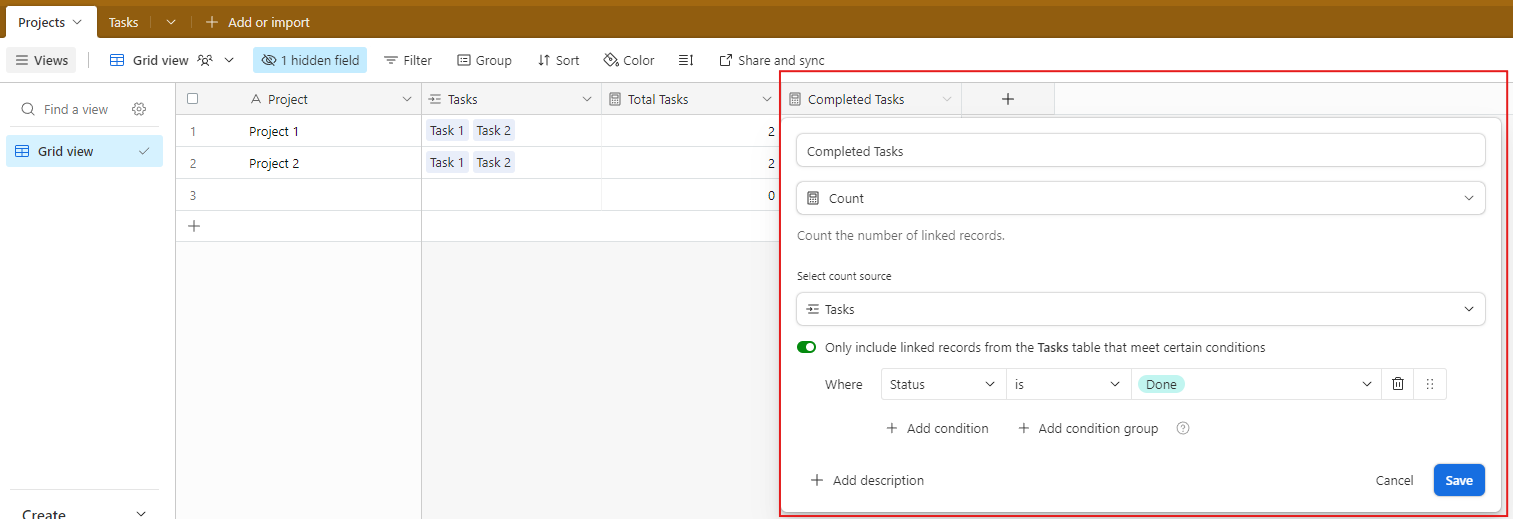
- Create a field in Projects called “Completed Tasks” with field type “Count” and set the count source to “Tasks”, then toggle on “Only include linked records from the Tasks table that meet certain conditions. Add a filter – Where Status is Done.
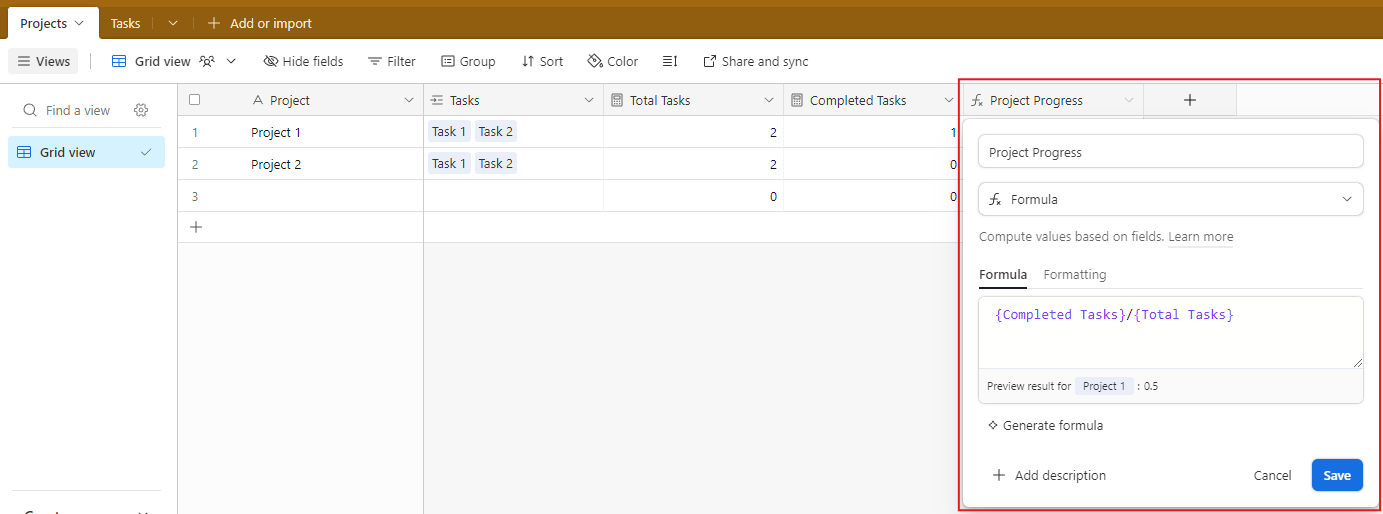
- Create a third field in Projects called “Project Progress” with field type Formula. In the Formula field, type {Completed Tasks}/{Total Tasks}.
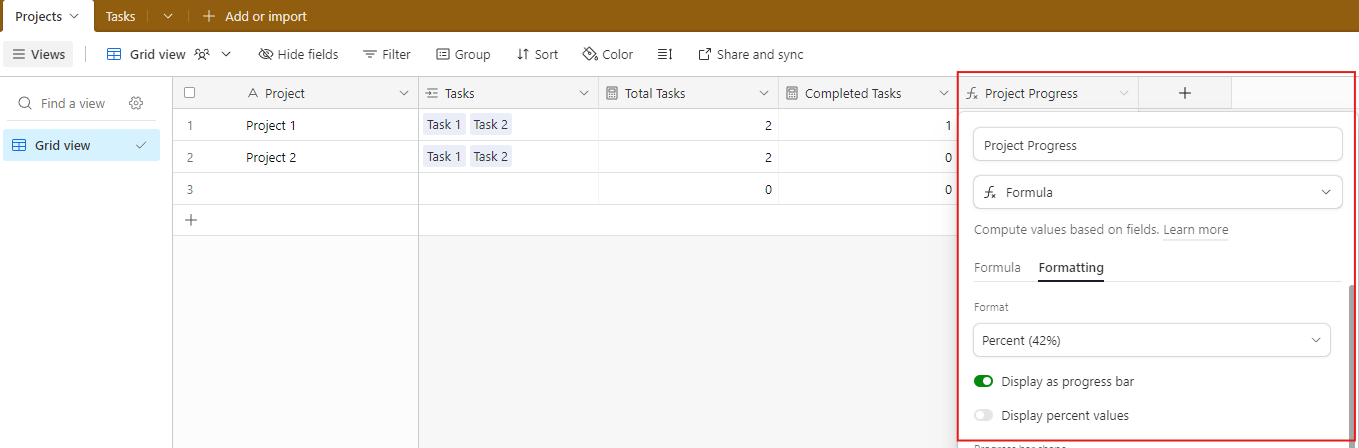
- In the Formatting field, select Format > Percent and Toggle on Display as progress bar
- This is what it’ll look like when it’s done!

Categories: Project Management
 Jessie Montoya
Leave a comment